
How to Manage Print Costs in a Growing Business
Growth is good news — but it brings new pressures and printing is one area where costs can quietly spiral if nobody’s watching. More staff, more documents, more devices and suddenly your monthly print spend is significantly higher than it needs to be. The good news is that with a few straightforward changes, businesses of almost any size can get print costs firmly under control.
Start With a Print Audit
Before you can reduce costs, you need to understand where the money is actually going. A print audit gives you a clear picture of:
- How many pages each device is producing each month
- Which departments or individuals are printing the most
- How many devices you’re running and whether all of them are necessary
- Your current cost-per-page across different machines
Many businesses are surprised to find they’re running more printers than they need, or that a handful of older devices are consuming a disproportionate share of consumables. An audit removes the guesswork.

Consolidate Your Devices
One of the quickest wins in print cost management is device consolidation. Running multiple small desktop printers across an office may seem convenient, but each one carries its own toner, maintenance and running costs. Replacing several ageing printers with a single, well-specified multifunction copier typically reduces overall expenditure and simplifies servicing.
Modern multifunction devices handle printing, copying, scanning and often faxing from one unit (which means only one set of consumables), one service contract and one point of contact when something goes wrong.
Set Sensible Print Policies
Technology alone won’t fix a print cost problem if printing habits aren’t addressed. Simple policy changes can make a meaningful difference:
- Set double-sided printing as the default on all devices
- Encourage staff to use print preview before sending a job
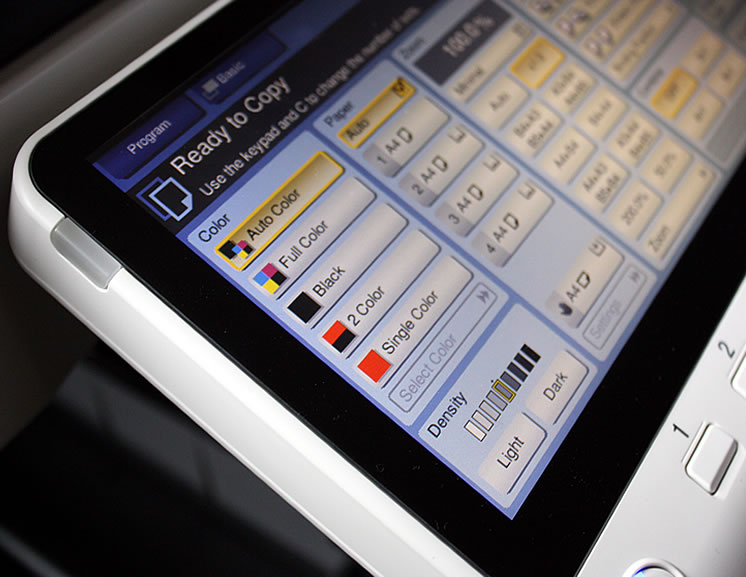
- Restrict colour printing to roles or tasks that genuinely require it
- Introduce PIN or swipe-card release, so uncollected print jobs don’t waste paper and toner
Think About Leasing Instead of Buying
Buying photocopiers outright can feel like the economical choice, but for a growing business, leasing makes more financial sense. A managed lease gives you access to up-to-date equipment, a predictable monthly cost and a service agreement that covers repairs and maintenance.
Cost-per-page contracts are especially useful here, you pay a fixed rate per page printed, which means budgeting becomes easier and your supplier has every incentive to keep your machine running efficiently.
Explore Our Leasing OptionsReview Regularly
Print requirements change as a business evolves. A device that was right for a team of ten may be struggling to keep pace with a team of thirty. Building a regular review (even annually) into your operations means you’re always running equipment that matches your actual needs, rather than making do with something that’s past its best.
Here at Office Copiers, we work with businesses at every stage of growth to find the right print solution for their size, budget and ambitions. Whether you’re looking to upgrade your existing equipment or trying to put a managed print strategy in place for the first time, get in touch, we’re here to help.